loading…
en/
Browse all by Anthropic
 by wenb1n-dev
 by madhurprashby modelcontextprotocol
edwinbernadus/nocodb-mcp-server
FreeNot checkedNocodb database integration, read and write capabilities

About
Nocodb database integration, read and write capabilities
README
MseeP.ai Security Assessment Badge
Nocodb MCP Server
Introduction
The NocoDB MCP Server enables seamless interaction with your NocoDB database using the Model Context Protocol (MCP). This server makes it easy to perform CRUD (Create, Read, Update, Delete) operations on NocoDB tables through natural language commands.
Example Prompt
[Get Records]
get data from nocodb, table: Shinobi

[Create Record]
add new row, with name: sasuke-2
add other row, with name: naruto-2

[Update Record]
update all rows, remove suffix -

[Delete Record]
delete all rows with name naruto

[Add Column]
add column with name: Age

update all rows, set Age to 18

[Delete Column]
delete column with name: Age
Example Prompt - Upload File
[Create table]
from the json files
put on nocodb database
table name is TableShinobi
JSON location file in: example_upload.json
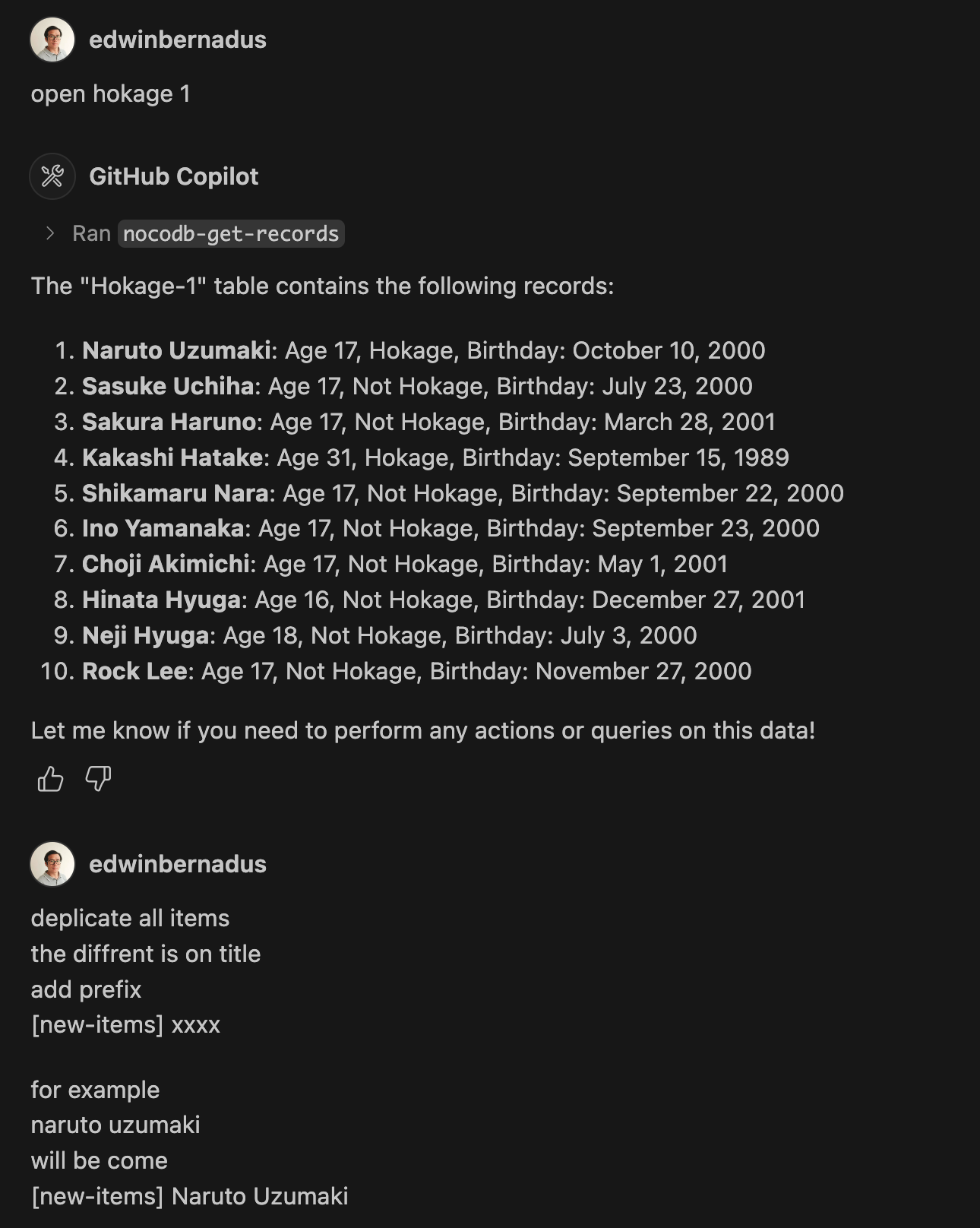
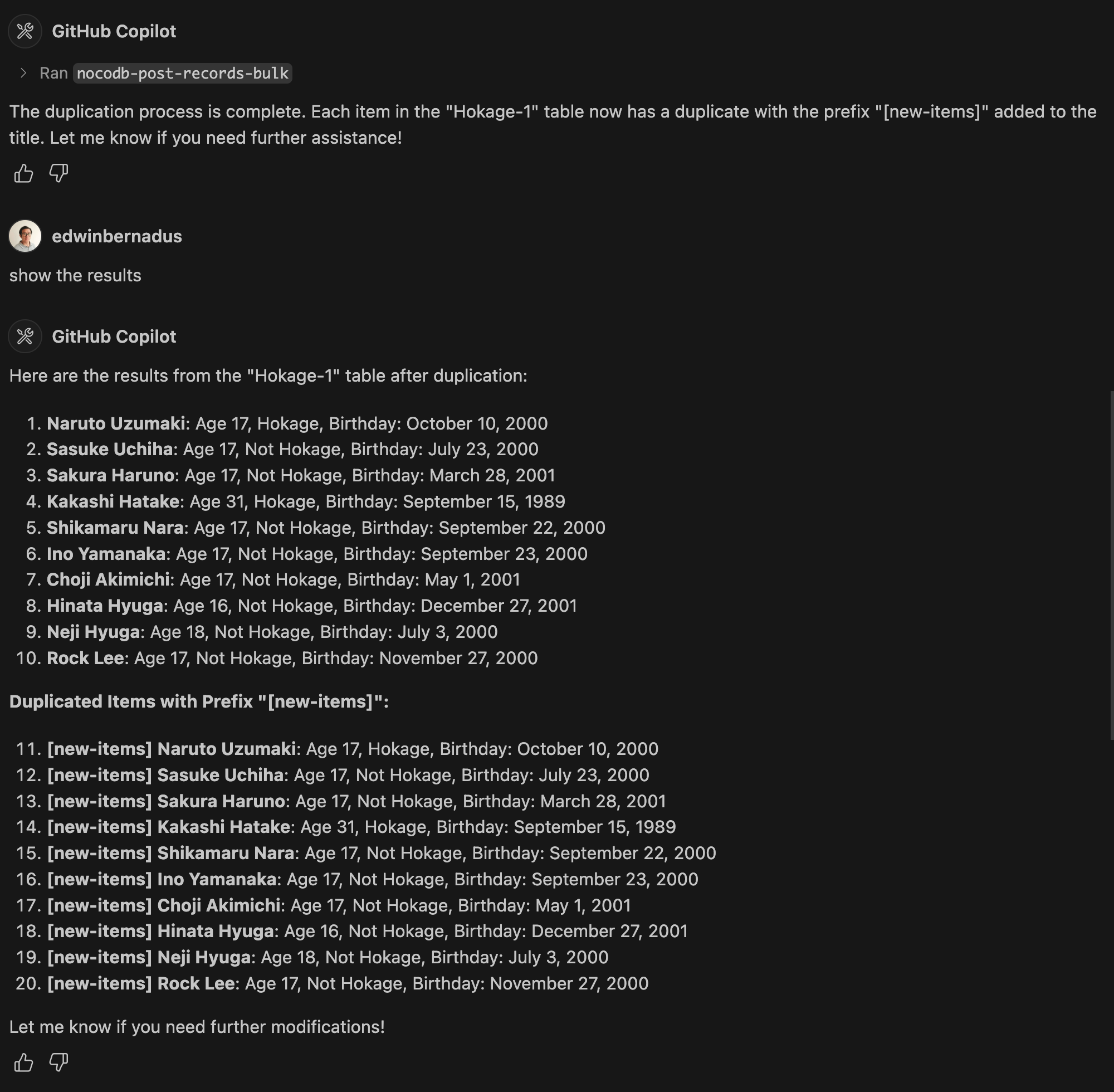
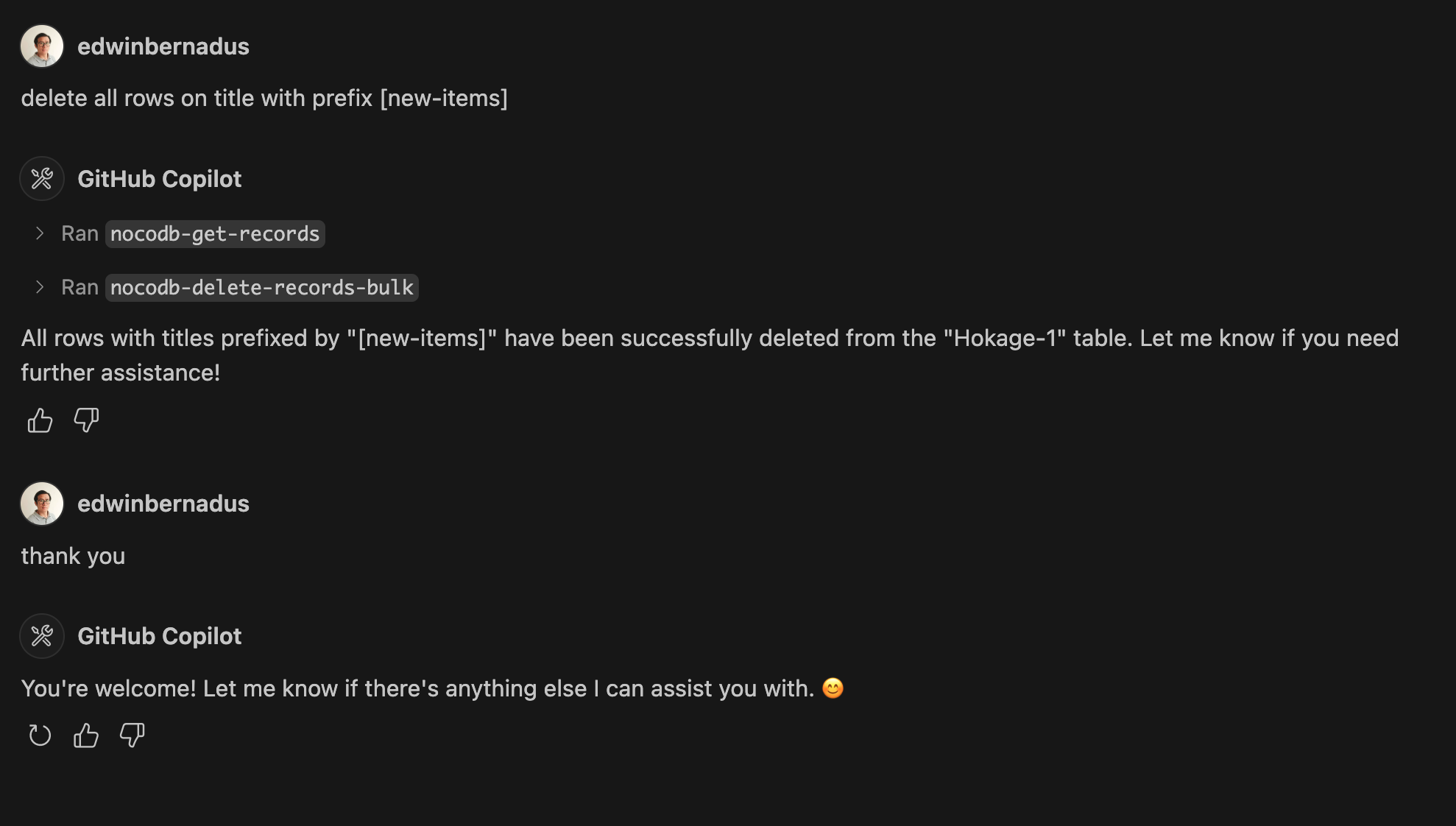
Example Prompt - Bulk Create Records and Bulk Delete Records
About This Fork
This repository is a TypeScript-based fork of NocoDB-MCP-Server. It retains the core functionality while improving maintainability and compatibility with modern TypeScript development practices.
Hosted deployment
A hosted deployment is available on Fronteir AI.
Setup
Ensure that Node.js and TypeScript are installed, then execute:
npm install
npm run build
Configuration
Define the required environment variables in a .env file:
NOCODB_URL=https://your-nocodb-instance.com
NOCODB_API_TOKEN=your_api_token_here
NOCODB_BASE_ID=your_base_id_here
Tip: You can copy the template from env.example and fill in your values.
How to Obtain NOCODB_BASE_ID
To find your NOCODB_BASE_ID, check the URL of your Nocodb instance.
For example:
https://app.nocodb.com/#/wi6evls6/pqmob3ammcknma5/maty9c5xkmf4012
In this URL format:
https://app.nocodb.com/#/{USERNAME}/{NOCODB_BASE_ID}/{TABLE_ID}
Integration with Claude Desktop
Modify claude_desktop_config.json to include:
{
  "mcpServers": {
    "nocodb": {
      "command": "node",
      "args": ["{working_folder}/dist/start.js"],
      "env": {
        "NOCODB_URL": "https://your-nocodb-instance.com",
        "NOCODB_BASE_ID": "your_base_id_here",
        "NOCODB_API_TOKEN": "your_api_token_here"
      }
    }
  }
}
Direct call from CLI
You can directly call the MCP server from the command line:
NOCODB_URL, NOCODB_API_TOKEN, and NOCODB_BASE_ID are required parameters.NOCODB_URL=https://app.nocodb.com if you are using NocoDB cloud.
npx -y nocodb-mcp-server {NOCODB_URL} {NOCODB_BASE_ID} {NOCODB_API_TOKEN}
Testing CLI
To run the tests, execute:
npx -y @wong2/mcp-cli npx nocodb-mcp-server {NOCODB_URL} {NOCODB_BASE_ID} {NOCODB_API_TOKEN}
API Functions
For detailed information about available API functions, please refer to API_FUNCTION.md.
Project Structure
/project-root
  ├── src/            # TypeScript source files
  ├── dist/           # Compiled JavaScript output
  ├── .env            # Environment variable configurations
  ├── package.json    # Project dependencies and scripts
  ├── tsconfig.json   # TypeScript settings
Contribution Guidelines
Contributions are encouraged! Feel free to open issues or submit pull requests.
License
This project is distributed under MIT.
Install edwinbernadus/nocodb-mcp-server in Claude Desktop, Claude Code & Cursor
Run in your terminal:
claude mcp add edwinbernadus-nocodb-mcp-server -- npx FAQ
Is edwinbernadus/nocodb-mcp-server MCP free?
Yes, edwinbernadus/nocodb-mcp-server MCP is free — one-click install via Unyly at no cost.
Does edwinbernadus/nocodb-mcp-server need an API key?
No, edwinbernadus/nocodb-mcp-server runs without API keys or environment variables.
Is edwinbernadus/nocodb-mcp-server hosted or self-hosted?
Self-hosted: the server runs locally on your machine via the install command above.
How do I install edwinbernadus/nocodb-mcp-server in Claude Desktop, Claude Code or Cursor?
Open edwinbernadus/nocodb-mcp-server on unyly.org, pick your client tab (Claude Desktop, Claude Code, Cursor) and press Install — the config is generated automatically, no JSON editing.
Related MCPs
Postgres
Query your database in natural language
by Anthropic4.822.3K
wenb1n-dev/SmartDB_MCP
A universal database MCP server supporting simultaneous connections to multiple databases. It provides tools for database operations, health analysis, SQL optim
by wenb1n-devPostgres Server
This server enables interaction with PostgreSQL databases through the Model Context Protocol, optimized for the AWS Bedrock AgentCore Runtime. It provides tools
by madhurprashPostgreSQL
Read-only database access with schema inspection.
by modelcontextprotocolCompare edwinbernadus/nocodb-mcp-server with
Not sure what to pick?
Find your stack in 60 seconds
Author?
Embed badge for your README
Browse similar
All data MCPs